Start with real CSS
Hover a live element and copy the useful declarations for layout, spacing, typography, color, border, radius, shadow, and transforms.
Copy CSS to Cursor
CascadePeek helps you inspect the live element you care about, copy its useful CSS and HTML, and paste focused component context into Cursor or another AI coding tool.
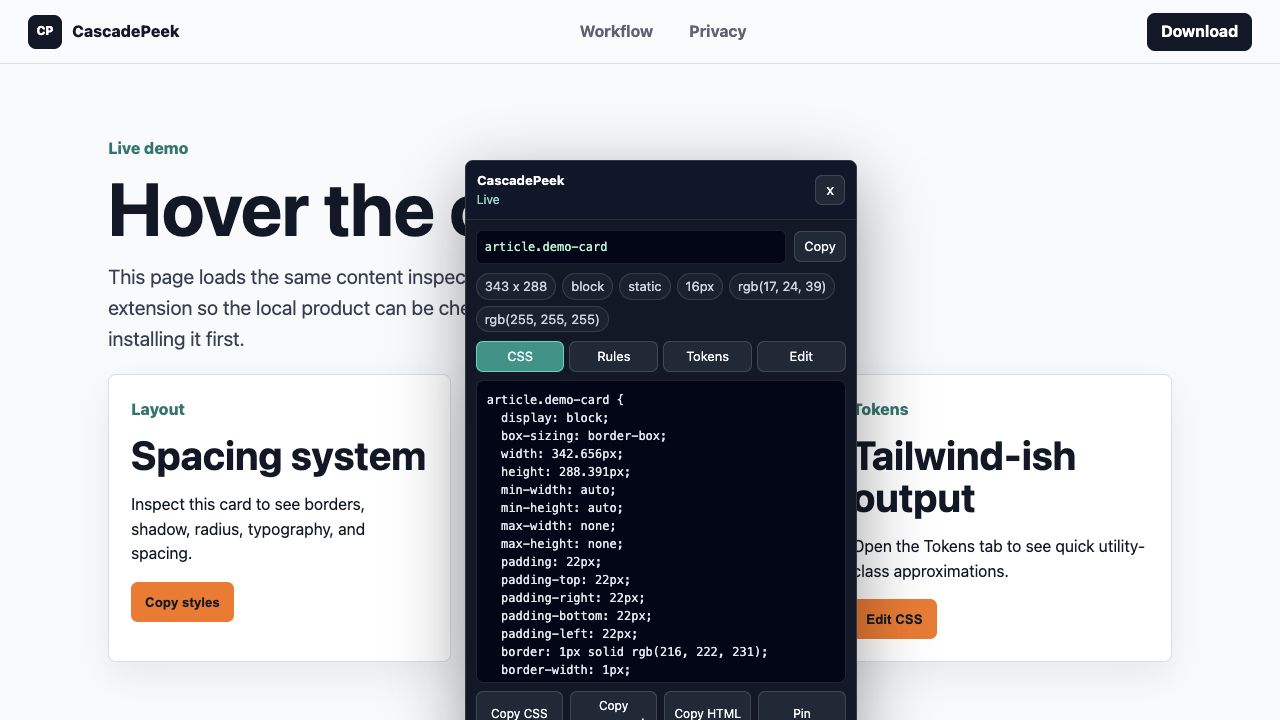
Hover a live element and copy the useful declarations for layout, spacing, typography, color, border, radius, shadow, and transforms.
Copy the selected element markup so Cursor has structure, not just a screenshot or a list of disconnected style values.
Pro adds AI prompt copy, design briefs, CSS variables, component bundles, authored rules, tokens, and in-page editing for recurring AI-assisted frontend work.
Use copied context to study implementation patterns and rebuild your own work. Avoid copying protected assets, trademarks, or proprietary brand systems.
Free users can copy CSS and HTML separately. Pro can copy a Cursor-ready prompt for the selected element, a page design brief, and the visible CSS custom properties behind the selected UI.