Inspect the real page
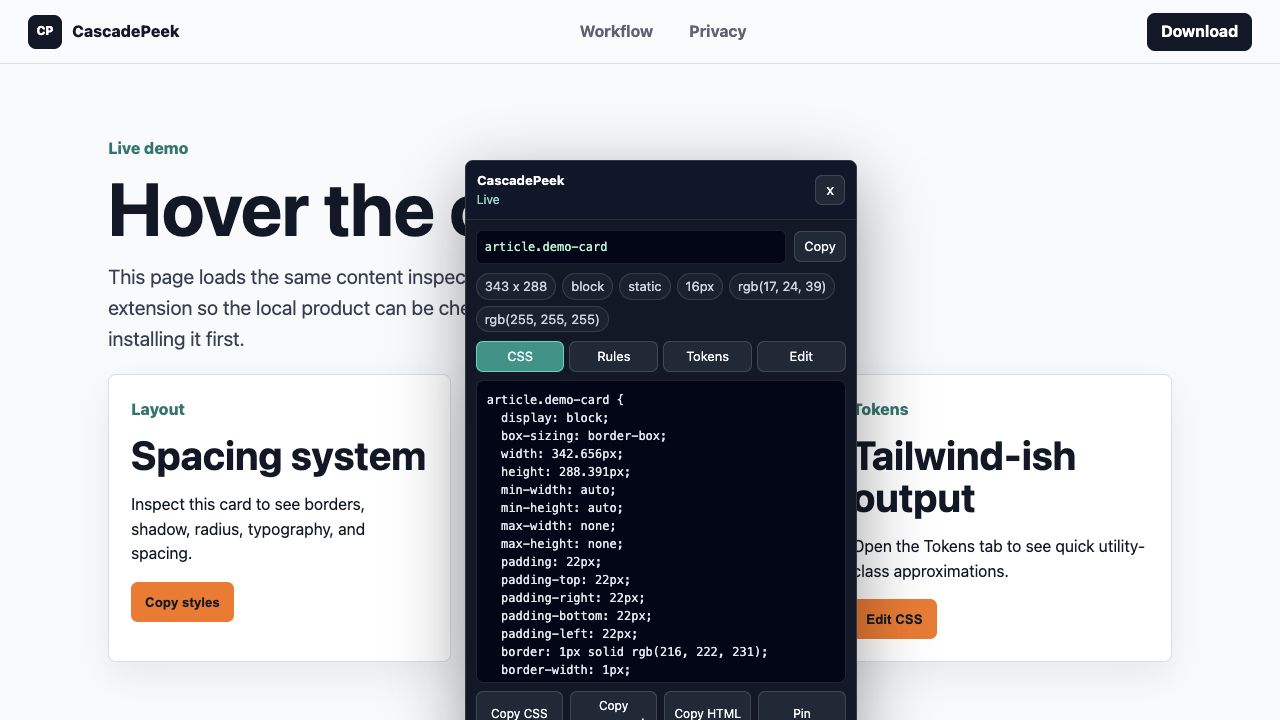
Hover and pin the live element you care about, including normal authenticated app screens.
Chrome extension for AI frontend work
Inspect a live page, pin the UI you care about, and copy CSS, DESIGN.md, variables, design tokens, and AI-ready prompts without opening a full DevTools panel.
Real product UI, measured tokens, and agent-ready context for your next build.
Copy DESIGN.md
---
design_system:
  source: "app.example"
  colors:
    - "#111827"
    - "#14b8a6"
  radii:
    - "8px"
---

# DESIGN.md
Use this as visual context before generating UI.
AI-ready workflow
Hover and pin the live element you care about, including normal authenticated app screens.
Generate Markdown context with YAML tokens, colors, type, spacing, radii, shadows, variables, and agent instructions.
Copy CSS, HTML, component bundles, and AI prompts grounded in the selected element.
Tweak declarations directly on the page, then move the proven values into your codebase.
Positioning
CascadePeek keeps the first release intentionally focused: no account wall for basic inspection, narrow extension permissions, local-first page analysis, and a paid Pro license for the AI context workflows that save the most time.
Intro price for the first 200 customers. Planned list price: $39.
Pricing
Hover inspect, pin elements, copy computed CSS, and copy clean HTML.
DownloadUnlock authored rules, design tokens, CSS variables, in-page editing, component bundle copy, AI prompt copy, design briefs, and DESIGN.md.
Five seats, shared procurement, and priority support. Manual fulfillment for the first release.
ContactPrivacy posture
The extension runs after the user clicks the toolbar button. It uses `activeTab`, injects a local inspector into the current page, and only contacts CascadePeek servers for checkout and license activation.