Extract the page rhythm
Copy a compact design brief with repeated colors, backgrounds, font families, sizes, weights, spacing values, gaps, border radii, and shadows.
Design token extractor
CascadePeek Pro reads the page you are already viewing and copies practical design-system context: colors, typography, spacing, radii, shadows, CSS variables, DESIGN.md, and element-level CSS for AI-assisted frontend work.
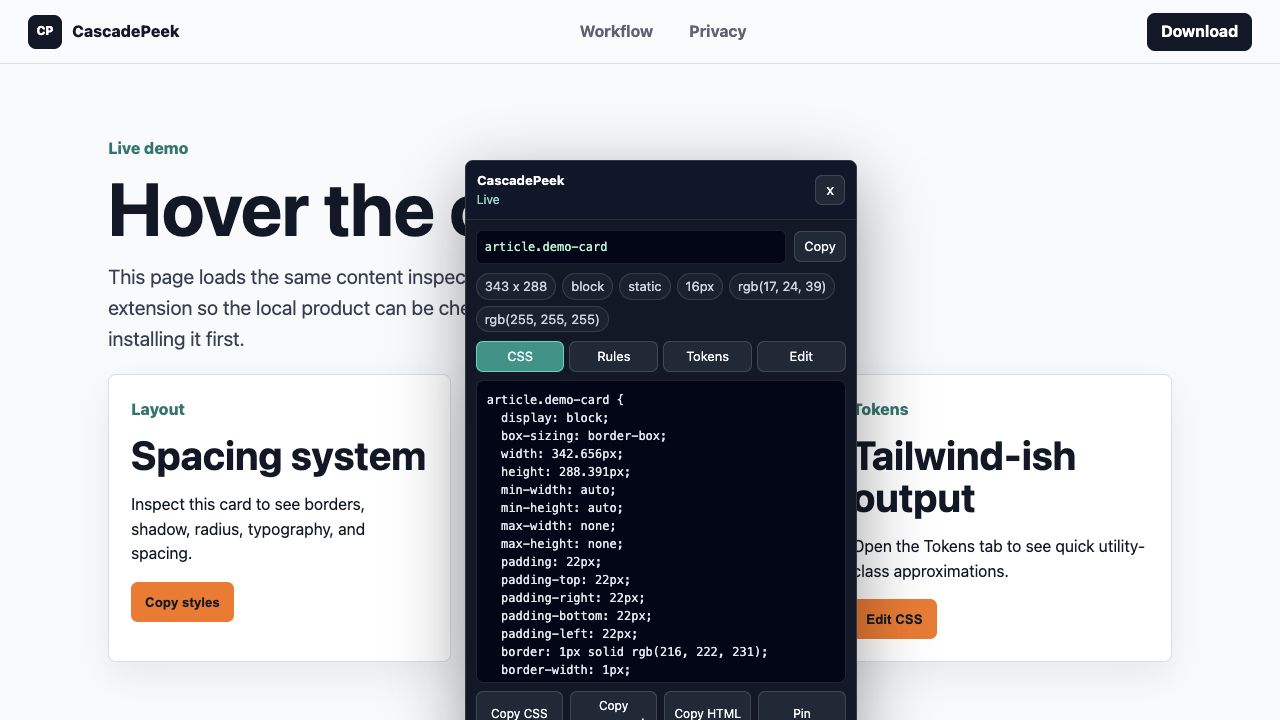
Copy a compact design brief with repeated colors, backgrounds, font families, sizes, weights, spacing values, gaps, border radii, and shadows.
When a site uses CSS custom properties, Copy vars gathers visible variables from the selected element context and `:root`.
Paste the design brief or DESIGN.md into Cursor, Claude, v0, Lovable, or Bolt before asking for a matching component or page section.
Start the inspector, pin an element, copy the token context, and keep page inspection local to the active tab.
Frontend developers, indie builders, designers who code, and agencies rebuilding inspiration into their own product UI.
Use CascadePeek to understand implementation patterns and speed up original work, not to copy trademarks, protected assets, or proprietary content.
The free tier covers everyday inspection. Pro is a $19 lifetime upgrade for token, editing, bundle, AI prompt, DESIGN.md, and design brief workflows.
The extension does not upload the inspected page to CascadePeek servers; checkout and license activation are the only server workflows.